
When a seller chooses your offer you get an alert, and the car moves to your Won cars page. Every other buyer whose offer was still on the car is told it has been sold to another buyer.
The pickup time
The seller books a pickup time: the time on your offer or a later time you have open, up to a week ahead. You hear when they book it, and again if they move it. You also get a reminder the evening before the pickup, sent between 5 and 9 PM on the clock where the car is.
If a day goes by and the seller has not booked a time, we remind them to book one, by text if they agreed to texts, and we let you know. We remind them again after three days, and from then on they can also tell us on their page that the car was already picked up. If a week goes by with no time booked, our team is told. Message or call the seller to settle a time.
Talking to the seller
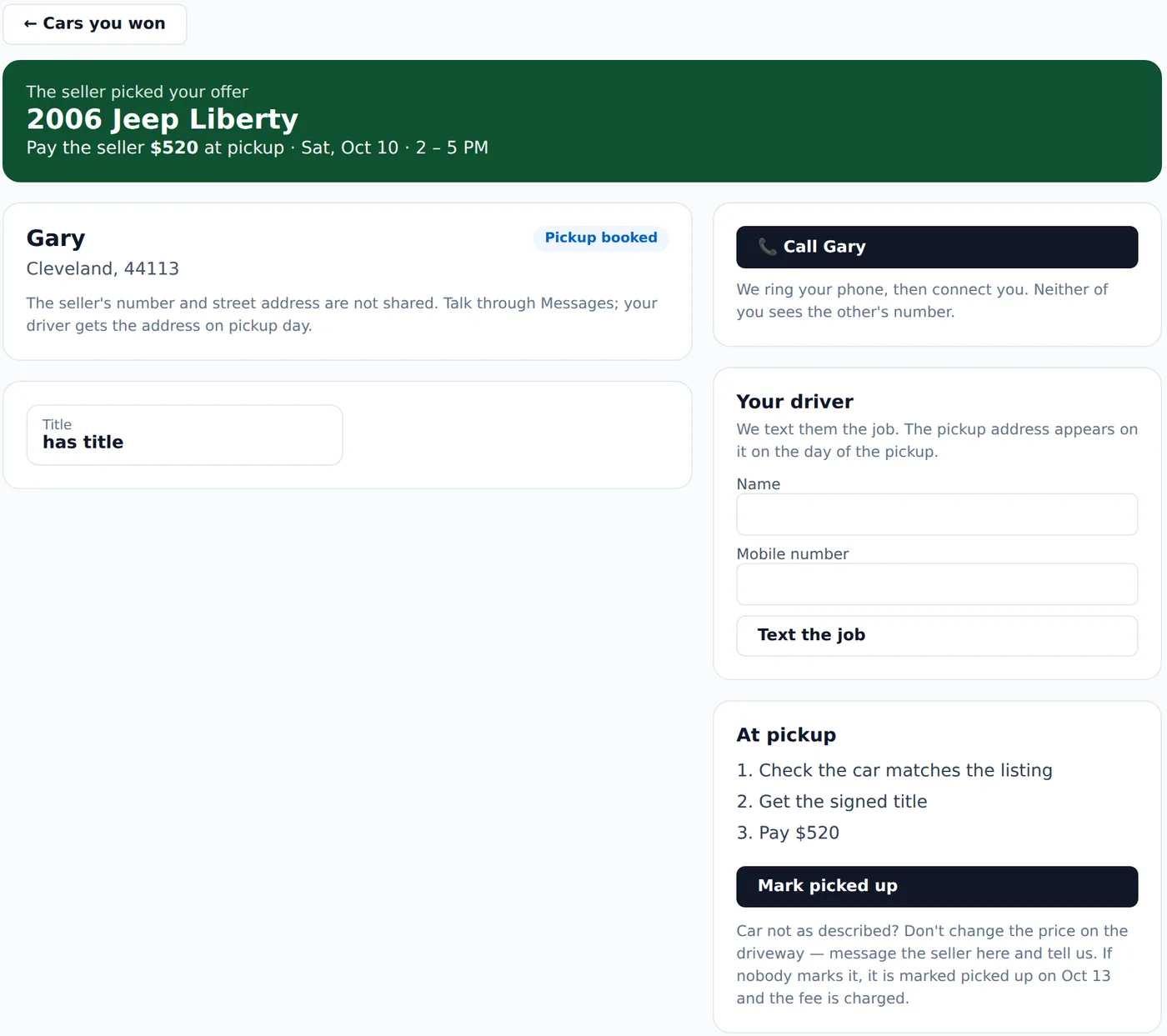
You now see the seller’s first name and town. Their phone number, email and street address never appear on your screens, and phone numbers and emails are taken out of messages, and out of any note the seller leaves for your driver, automatically. To talk, use the messages on the car’s page, or press the Call button. It rings your phone first and then connects you to the seller from our number, so neither of you sees the other’s number. Calls go through from 8 AM to 9 PM the seller’s time, so outside those hours, send a message instead.
Sending your driver
In Your driver, type your driver’s mobile number, and their name if you like, and press Text the job. Your driver gets a link to a job page with the car and the time. On the day of the pickup and the day after, that page also shows the street address and lets your driver call the seller, tell them they are on the way and mark the car picked up. The address is not on the page before the pickup day or after the day after, and while the seller says the pickup did not happen, those tools stay off until a new time is booked. Sending the job again, to a new driver or the same one, stops the old link working.
Picking it up
Pay the seller the amount you offered. We don’t handle that payment, so pay them the way you normally pay for a car. Then press Mark picked up, which records our fee and charges it to your card. Your driver can also mark it from their job page on the pickup day or the day after.
Once your pickup time has started, the seller can tell us on their page whether the car was picked up, and the day after the pickup we ask them as well. If they say yes, it is marked picked up for you. If nobody says either way, it is marked picked up a few days after the pickup date. If the seller says it was not picked up, we stop it from being marked picked up on its own, and we tell you and our team. Nothing is charged until the car is marked picked up. Message or call the seller to sort out a new time, which they book on their page.